
Every screen in the room.
One calm booth.
Lyrics, slides, video, the stage display, the stream and even the scoreboard, run from one Mac by one person. Built for the booth on Sunday morning, the conference and the Friday game night.
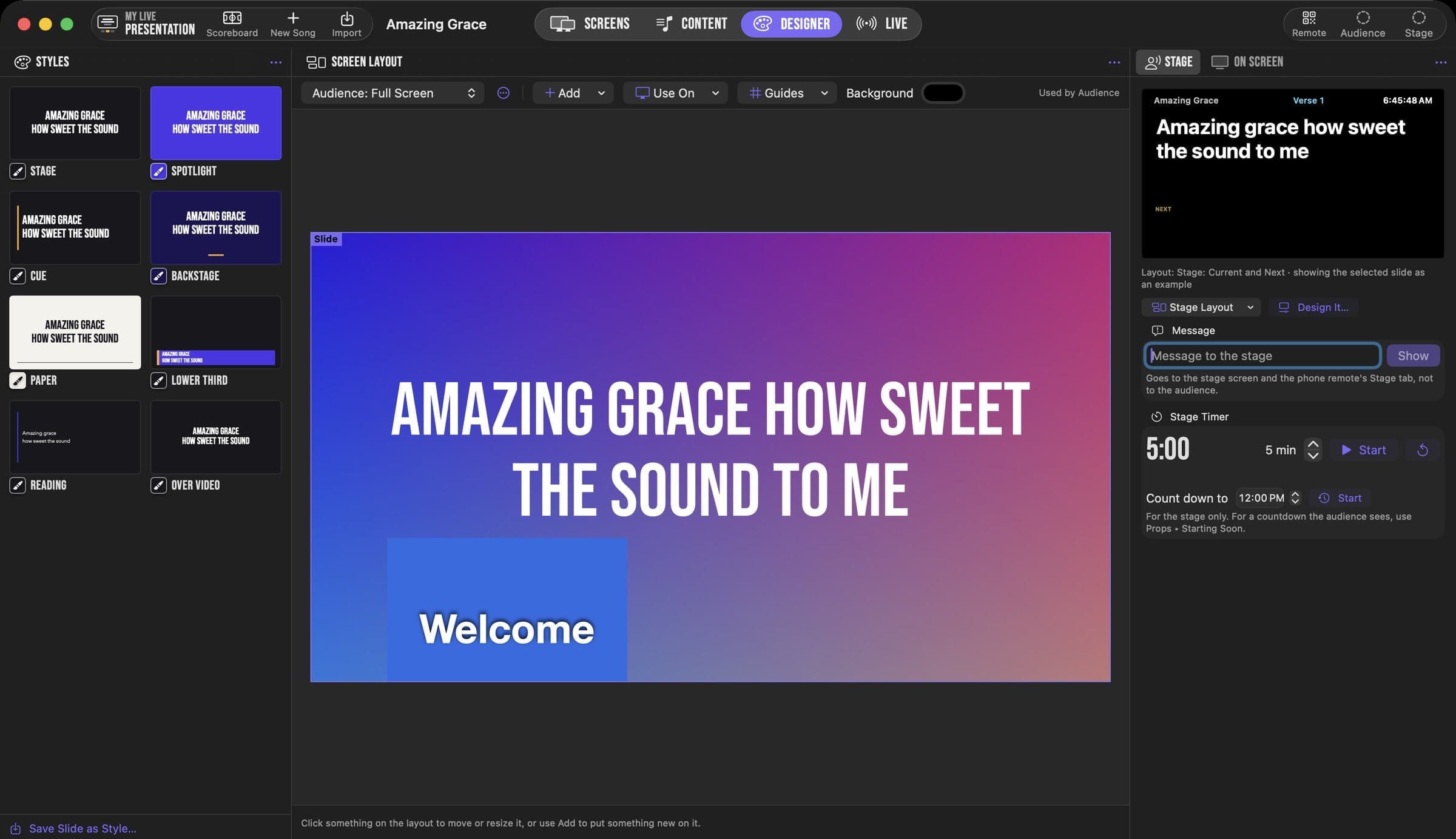
- Lyrics that build their own slides
- Audience and stage screens
- Stream, NDI and Syphon
- Games and scoreboards
- Phone remote by QR code
Type the words. The slides follow.
Paste or type a song’s lyrics with Verse and Chorus headings and the slides are made in your style. Bring your old library with you instead of starting over.
- Imports ProPresenter 6 and 7, PowerPoint, Keynote, SongSelect and ChordPro files
- Styles you save once and apply to every song
- Arrangements so a chorus repeats without copying slides
- CCLI copyright shown on the audience screen, not on yours

The room sees the words. The band sees what’s next.
Set up every screen once: the audience, the stage display, a confidence monitor. Each one gets its own layout, and your control window never gets covered.
- Stage display with current and next lines, chords, the clock and a timer
- Messages to the stage that the audience never sees
- Teleprompter for the speaker’s notes
- Edge blends, masks and colour set per output

One key moves the whole show
Next starts the song, steps the slides and moves on to the next item in the playlist. Everything else is already waiting where you need it.
Video, props and announcements
Looping backgrounds, a welcome message, a countdown to start time and announcements that cycle on their own.
Run it from your phone
Scan a QR code and you have Next, Clear, the playlist, the stage view and the chord chart, behind a passcode.
Lights and sound on every slide
A slide can send MIDI, fire an Art-Net lighting cue, play a sound or run a macro the moment it goes live.
Straight to YouTube or Twitch
Stream a screen with its sound, send it over NDI or Syphon, or show it in Zoom and FaceTime as a camera.
Live captions and translation
Turn what’s said into words on screen, on the Mac itself, with a translated line underneath.
A check before doors open
One button finds missing media and fonts, misspellings, unplugged screens and words too small to read, before anyone else does.
Youth night and the big game, too
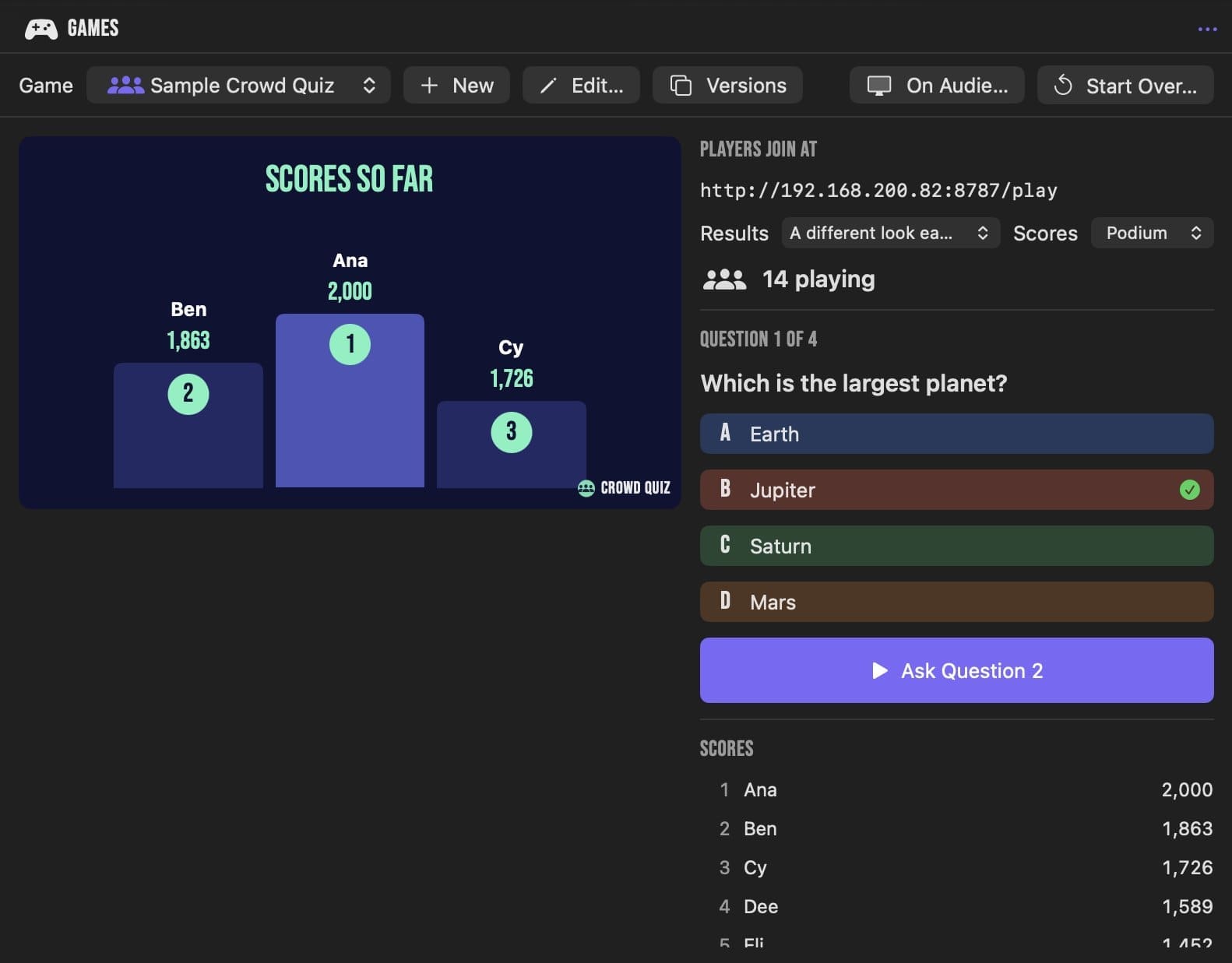
Switch modes and the same app runs a quiz board, a crowd quiz people answer from their phones, or a full scoreboard with horns, a shot clock and period tracking.

Plays well with My Live Set
Our live rig for the band. When the drummer starts a song in My Live Set, the same song comes up here, and the band can move the slides over MIDI.
Ready before the first rehearsal
- DownloadGet the zip and open it. You’ll find My Live Presentation inside.
- Move it to ApplicationsDrag it into your Applications folder, then open it like any other app.
- Take the short tourTen cards show you screens, songs, styles and going live. New versions install themselves.
Questions
What does it cost?
Nothing. It’s made by ʻAina Studios, a nonprofit, and given away to churches, schools and teams.
Can I bring my ProPresenter library?
Yes. File › Import reads ProPresenter 7 and 6 files, PowerPoint and Keynote decks, SongSelect text files and ChordPro charts. Their text, fonts, colours, backgrounds and media come along.
How many screens can it run?
As many as your Mac can connect. Add an audience screen, a stage display and more in the Screens step, give each a layout, and press Identify to see which output is which.
Can I stream with it?
Yes. The Stream panel sends a screen with its sound to YouTube, Twitch or any RTMP address. It can also send screens over NDI and Syphon, and appear as a camera in Zoom, Teams and FaceTime.
Does it work with Planning Center?
File › Import from Planning Center brings a service plan in as a playlist, with each song’s chords, key and arrangement. You sign in with your own Personal Access Token, kept in your Mac’s Keychain.
Which Macs does it run on?
Macs running macOS 26.6 or later. It’s signed with a Developer ID and notarized by Apple, so macOS opens it after one confirmation.
How do updates work?
The app checks when it opens. When there’s a new version it shows what changed, and Install Now downloads it, checks it and restarts.
What languages is it in?
English, Spanish, French, German, Portuguese, Korean, Japanese and Simplified Chinese.